Buying process
Buying WMS software: from RFP to go-live
Writing the request, judging replies, planning the rollout and moving your data. Each step in the order you will meet it.
Stages
- Define what you need
- Request for proposal
- Implementation plan
- Data migration and cut-over
A project, not just a purchase
Choosing a WMS is the short part. Writing requirements, getting replies you can compare, planning the rollout and moving your data take far more effort, and most teams do them for the first time.
This guide follows that sequence. Each page covers one stage and ends with things to check before you move on. We use this site to share what we have seen of the process.
Screens worth asking for in a demo
These are screens from the Microsive demo platform, demo data only. Whichever vendors you invite, you could ask each one to show a site overview and a loading view on your own scenarios, so replies to your RFP can be compared on the same footing.
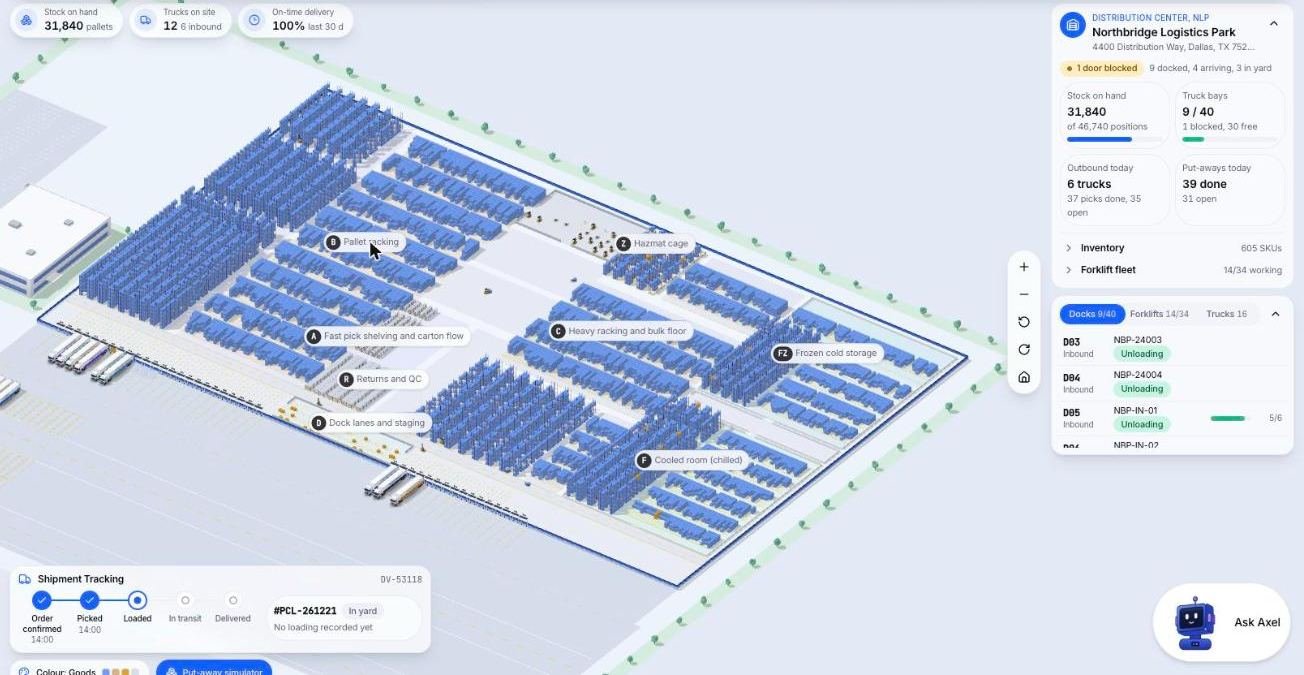
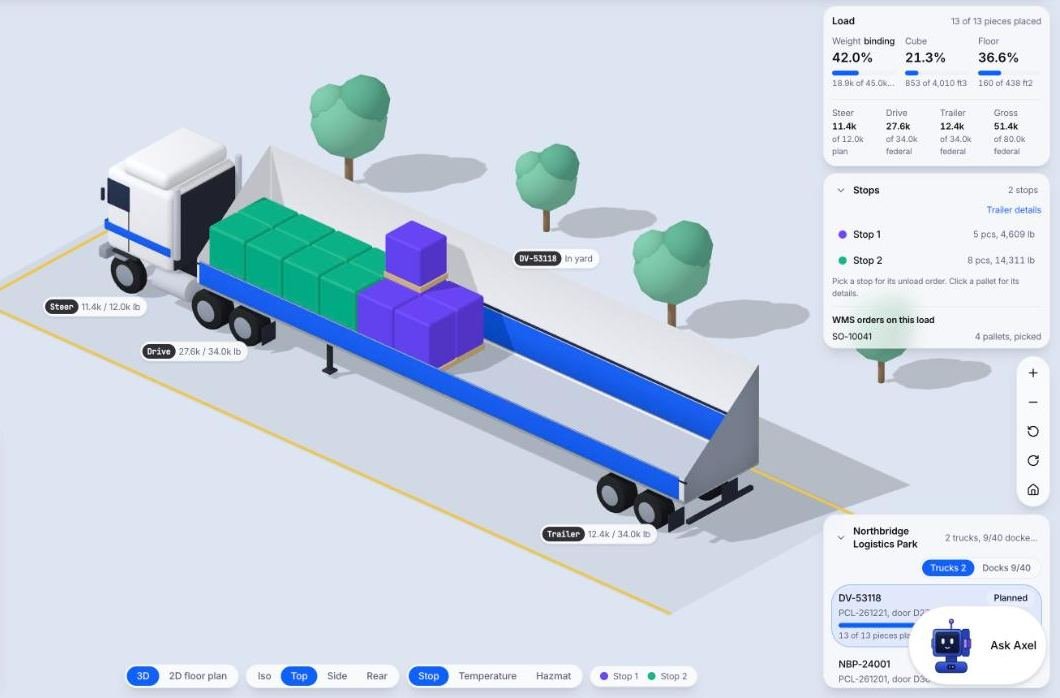
The process
RFP
What to put in a request and how to compare replies fairly.
- WMS RFP Template to Copy and Fill In01A request for proposal you can copy: ten sections, the questions to send vendors, a blank scoring table and how to keep demos comparable.
Implementation
Roles, timeline and what to prepare.
- WMS Implementation Checklist by Phase02Nine phases from project setup to the first weeks after go-live, with tick boxes, who does what and the mistakes that sink most rollouts.
Migration
Moving items, locations and open orders safely.
- WMS Migration Checklist: Old to New03Replacing a warehouse system: read the exit terms, test an export, map fields, choose a cut-over style, handle open orders and plan a rollback.
Requirements
- WMS Requirements Template and Worksheet04A worksheet for writing warehouse system requirements before you ask for proposals: example rows, a must-have filter, volumes and a floor review.